TL;DR
- The CBCT-to-guide workflow has 5 critical stages: DICOM acquisition, segmentation, implant planning, guide design, and 3D printing
Want to learn more about surgical guide planning?
Discover how digital workflows can improve your implant success rates.
Table of Contents
- What Is the CBCT-to-Guide Digital Workflow?
- Why Should You Care About Each Step?
- Stage 1: DICOM Acquisition — Getting the Raw Data Right
- What makes a good CBCT scan for guide planning?
- Common CBCT scanning mistakes:
- Stage 2: Segmentation — Turning DICOM into 3D Anatomy
- How does segmentation work?
- Key segmentation decisions:
- The segmentation accuracy rule:
- Stage 3: Virtual Implant Planning — The Clinical Decision Phase
- Planning checklist:
- What happens when planning goes wrong?
- Stage 4: Guide Design — Engineering the Physical Template
- How is a surgical guide designed?
- Design parameters that affect accuracy:
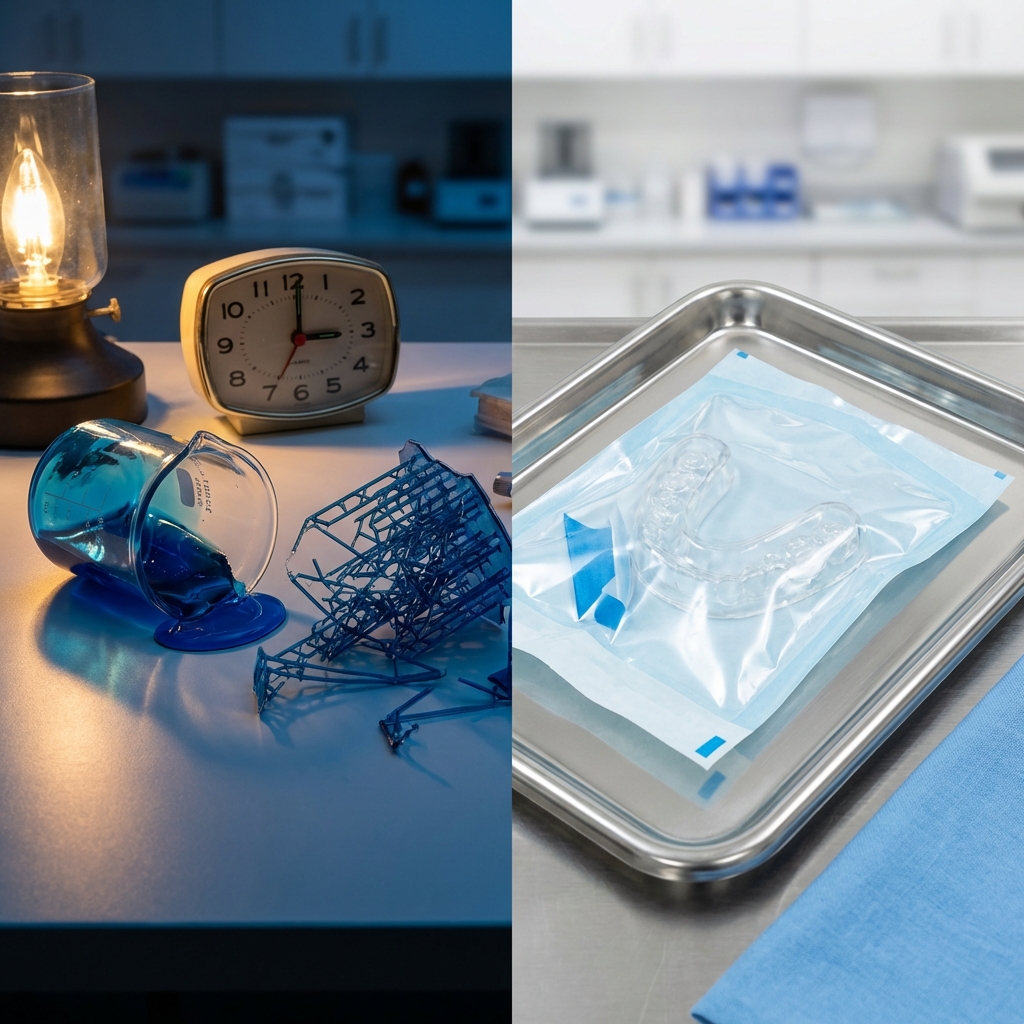
- Stage 5: 3D Printing and Post-Processing
- 3D printing considerations:
- Post-processing checklist:
- The Workflow Decision Matrix
TL;DR:
- The CBCT-to-guide workflow has 5 critical stages: DICOM acquisition, segmentation, implant planning, guide design, and 3D printing
- Each stage has specific accuracy requirements that compound — a 0.5mm error in segmentation can become a 2mm deviation at the drill tip
- Outsourcing the digital design phase while keeping clinical decisions in-house is the most efficient model for most practices
---
What Is the CBCT-to-Guide Digital Workflow?
The CBCT-to-guide digital workflow is the complete chain of digital processes that transforms a cone beam computed tomography scan into a physical, 3D-printed surgical guide ready for implant placement. Unlike traditional freehand approaches, this workflow creates a deterministic path from diagnosis to surgery, where every drill position, angle, and depth is pre-planned and physically locked into the guide.
A 3D-printed template that fits over the patient's teeth or tissue and directs drill placement during implant surgery. It transfers the digital treatment plan into precise physical drill positions.
A 3D imaging technique that captures the jaw, teeth, and bone structure in a single rotational scan. It produces DICOM files used for implant planning, nerve mapping, and surgical guide design.
This matters because the workflow eliminates the largest variable in implant surgery: human spatial estimation during the procedure itself.
Why Should You Care About Each Step?
Every stage in the digital workflow acts as a quality gate. Skip one, rush another, and the final guide may look perfect but perform poorly. Understanding each step helps you identify where your current workflow leaks accuracy — and where outsourcing makes more sense than doing it yourself.
Want to understand how SurgicalGuide.Pro handles these steps for you? Explore our workflow services.
Stage 1: DICOM Acquisition — Getting the Raw Data Right
The foundation of every surgical guide is the CBCT scan itself. This is where most workflow failures actually originate, long before anyone touches design software.
What makes a good CBCT scan for guide planning?
| Parameter | Recommended Value | Why It Matters |
|---|---|---|
| Voxel Size | 0.2–0.3 mm | Smaller voxels = higher resolution for sleeve positioning |
| Field of View | Both arches + 10mm margin | Ensures full anatomy capture for guide seating |
| Patient Position | Centric occlusion, lips retracted | Prevents soft tissue artifacts |
| Scan Format | DICOM (not JPEG export) | Preserves volumetric data for 3D reconstruction |
| Motion Artifacts | None acceptable | Even slight movement creates segmentation errors |
Common CBCT scanning mistakes:
- Using a panoramic setting instead of volumetric
- Scanning with removable prosthetics in place (creates metal artifacts)
- Exporting as 2D images instead of DICOM folders
- Using voxel sizes above 0.4mm for multi-implant cases
Stage 2: Segmentation — Turning DICOM into 3D Anatomy
Segmentation is the process of converting raw DICOM data into a 3D digital model of the patient's bone, teeth, and key anatomical structures. This is arguably the most skill-intensive step in the entire workflow.
Digital Imaging and Communications in Medicine — the universal file format for medical imaging. CBCT scanners produce DICOM files that are imported into planning software for 3D reconstruction.
How does segmentation work?
Segmentation software (such as Blue Sky Plan, coDiagnostix, or Implant Studio) processes DICOM slices and applies threshold algorithms to distinguish bone density from soft tissue. The result is a 3D mesh that represents the patient's actual anatomy.
The structural quality of jawbone classified on the Misch scale (D1-D4). Higher density provides better implant stability; lower density may require modified surgical protocols.
Key segmentation decisions:
- Bone density thresholds: Too aggressive = thin bone appears missing. Too conservative = soft tissue merges with bone boundaries
- Nerve canal marking: Mandatory for lower jaw cases to prevent IAN damage
- Sinus floor mapping: Critical for upper posterior implants
- Artifact removal: Metal restorations create star-shaped artifacts that must be manually cleaned
The segmentation accuracy rule:
Every 0.3mm of segmentation error translates to approximately 0.5-1.0mm of potential implant positioning deviation. This is why many clinics outsource segmentation to specialists who process hundreds of cases monthly.
Stage 3: Virtual Implant Planning — The Clinical Decision Phase
This is where clinical expertise meets digital precision. The implantologist positions virtual implant cylinders within the 3D bone model, considering prosthetic outcomes, bone availability, and anatomical risk zones.
Planning checklist:
- Implant diameter and length selection based on available bone
- Minimum 1.5mm distance from adjacent teeth
- Minimum 2mm from the inferior alveolar nerve
- Prosthetic-driven positioning (restoratively guided)
- Angulation within 30 degrees of ideal for screw-retained restorations
- Bone density at the planned site (Class I-IV)
What happens when planning goes wrong?
The most common planning errors are not about missing the bone — they are about ignoring the prosthetic outcome. Placing an implant in the densest bone that requires an angled abutment at 35 degrees defeats the purpose of guided surgery.
An implant placement technique that uses a physical surgical guide to direct drills and implants to positions planned in 3D software. It improves accuracy and reduces surgical risks compared to freehand placement.
Rule of thumb: Plan from the crown down, not from the bone up.
Stage 4: Guide Design — Engineering the Physical Template
How is a surgical guide designed?
Guide design software takes the virtual implant plan and generates a physical template with:
- Guide body: Contoured to fit the patient's anatomy (teeth, tissue, or bone-supported)
- Metal sleeves: Precision cylinders that direct the drill at the exact planned angle and depth
- Inspection windows: Openings to verify guide seating during surgery
- Retention features: Clasps or extensions for stable positioning
Design parameters that affect accuracy:
| Parameter | Impact |
|---|---|
| Sleeve height | Longer = more directional control, but harder to access posterior |
| Offset from tissue | 0.1mm gap prevents tissue pinching |
| Guide thickness | Minimum 3mm for structural integrity |
| Support contact area | More contact = more stability, but harder insertion |
Ready to eliminate design uncertainty? Start your free case submission at SurgicalGuide.Pro.
Stage 5: 3D Printing and Post-Processing
The final stage transforms the digital design into a physical, sterilizable surgical guide.
3D printing considerations:
- Technology: SLA/DLP resin printing (not FDM) is mandatory for surgical-grade accuracy
- Material: Class IIa biocompatible resin (certified for intraoral use)
- Layer height: 50 microns for sleeve accuracy
- Orientation: Guides should be printed at 0-15 degree angles to minimize support marks on the fitting surface
Post-processing checklist:
- IPA wash (2 cycles, 5 minutes each)
- UV post-cure (manufacturer-specified time and wavelength)
- Support removal (careful not to damage sleeve holes)
- Sleeve insertion and verification with calibration pins
- Fit check on the patient model
- Sterilization compatibility verification
The Workflow Decision Matrix
| Step | Keep In-House? | Outsource? | Recommendation |
|---|---|---|---|
| CBCT Scan | Always in-house | N/A | You control the raw data |
| Segmentation | Only if trained staff available | Recommended for most | High skill requirement |
| Implant Planning | Always in-house | Review only | Clinical decision = your responsibility |
| Guide Design | Only with CAD expertise | Highly recommended | Specialized skill |
| 3D Printing | If >15 guides/month | Standard for most | Equipment + QA overhead |
Ready to streamline your surgical guide workflow?
Join 200+ dental professionals who trust SurgicalGuide.Pro for precision planning.